Designing a Sanctuary for Spine Health and Daily Productivity
Workplace habits serve as the silent architect of spinal health. Prolonged static postures while sitting can increase pressure on lumbar discs by approximately 30% compared to standing per 2024 Spine-health data. This sustained load often leads to metabolic waste accumulation and muscular imbalances, eventually manifesting as chronic neck and back discomfort. Viewing ergonomics as a proactive medical intervention is essential for long-term health.
At capaininstitute.com, our clinical approach treats workplace strain as a modifiable injury risk rather than an inevitable cost of employment. Unlike generic office setups that ignore individual physiology, our specialists assess how your specific desk environment exacerbates musculoskeletal stress. Just as Mayo Clinic emphasizes that equipment spacing alone can prevent injury, we integrate physiological metrics to tailor your recovery plan.
Transforming your workstation into a therapeutic space requires more than just furniture swaps. It demands an understanding of your spine's natural curves and the mechanics of movement. For patients with identified injuries, UCLA Health advises consulting professional guides to avoid the pitfalls of using unverified aids. By prioritizing professional assessment, you move from merely managing symptoms to building a sustainable, pain-free professional life.
Building the Foundation of an Ergonomic Workstation
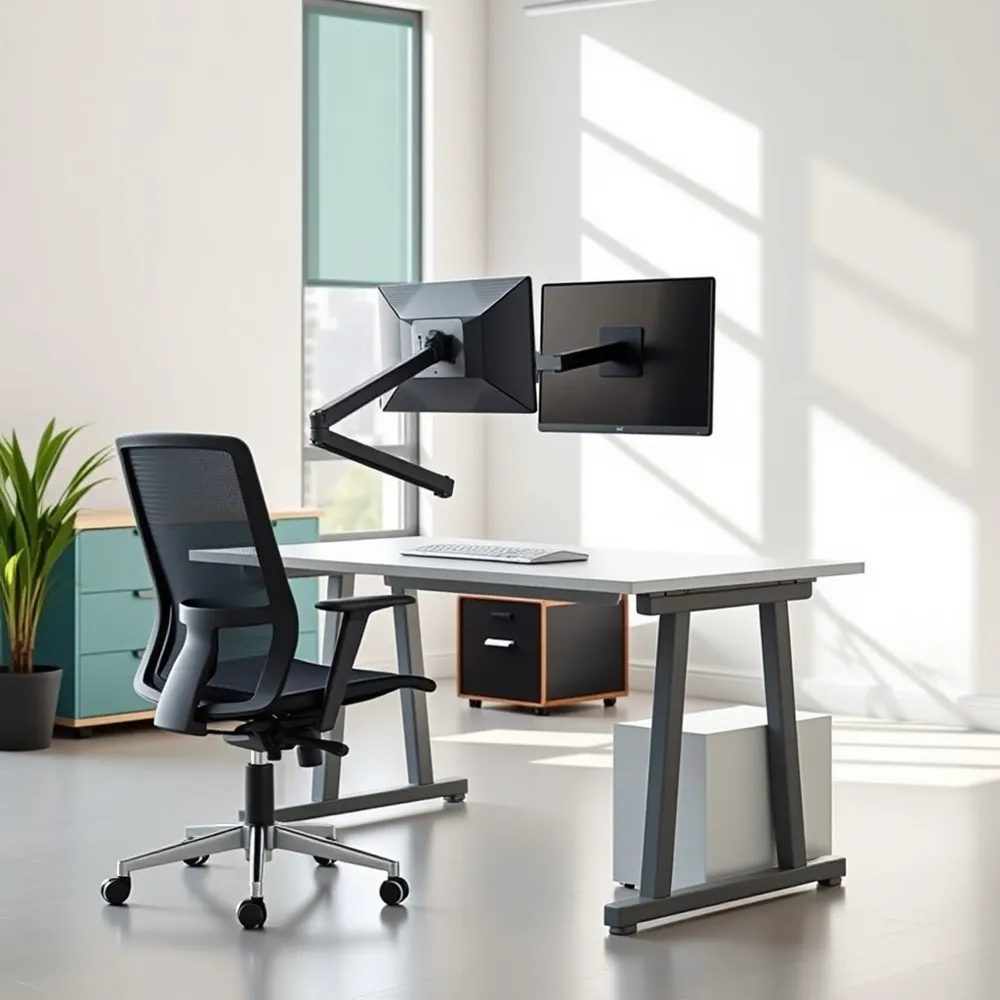 A thoughtfully configured workstation minimizes musculoskeletal strain, but ergonomic design is about more than just buying the right equipment. Proper office ergonomics requires aligning your tools with your body's natural needs to prevent chronic discomfort. At capaininstitute.com, we emphasize that a chair is only as effective as its adjustments. Your seat height should allow your feet to rest flat on the floor, keeping your thighs parallel to the ground to maintain proper circulation.
Correct posture and seat depth are equally critical. You should be able to pass a clenched fist between the back of your calf and the seat's edge, ensuring your back sits firmly against the lumbar support. This support, ideally positioned just above your belt line, preserves the natural inward curve of the lower spine. If your desk height forces your arms into an awkward position, a footrest can help compensate for the elevation while keeping your knees level with your hips.
Equipment spacing dictates the demands placed on your upper body throughout the day. Your monitor must sit at an arm's length away, with the top of the screen at eye level to prevent neck and head strain. Keeping your keyboard and mouse close prevents overreaching, allowing your elbows to hang naturally at a 90-degree angle. Clear the area beneath your desk of all storage, as restricted legroom often forces users into compensated, harmful postures.
- Position screens directly in front of you to prevent uneven neck tension.
- Use document holders to keep reference materials level with your monitor.
- Keep commonly used items within an easy reach to avoid repetitive rotation.
- Adjust armrests to slightly lift your arms, which offloads strain from the shoulders.
| Component | Adjustment Goal | Benefit |
|---|---|---|
| Chair | Parallel thighs | Balanced weight |
| Monitor | Eye level | Neck alignment |
| Keyboard | Elbow angle | Reduced fatigue |
Mastering Chair Adjustments for Long-Term Lumbar Support
 Correct chair configuration acts as the primary defense against the mechanical stress of sedentary desk work. While the traditional 90-degree seating rule once served as the standard, recent findings suggest that a slightly reclined position, typically between 110 and 135 degrees, is superior for reducing intervertebral disc pressure.
Physical Calibration Through Targeted Measurements
To achieve a neutral spine, you must first verify your seat depth and height through objective tests. The calf measure test requires you to pass a clenched fist between the back of your calf and the chair edge; if your fist does not fit comfortably, your chair is likely too deep, which forces you to slide forward and lose lumbar contact. For thigh clearance, attempt to slide your fingers under your thigh at the edge of the seat as recommended by UCLA Health. Should this space feel restricted, adjust the chair height or utilize a footrest to keep your thighs parallel to the floor.
- Position the firmest part of your lumbar cushion at the sacral-lumbar junction, often referred to as the belt line, rather than the middle of the back.
- Ensure your buttocks are fully against the backrest to properly engage the support mechanism, which helps maintain the natural, healthy lordotic curve of the lower spine as outlined by Mayo Clinic.
- Maintain a gap of at least one inch between the edge of the seat and the back of your knees to support healthy blood circulation throughout the day.
At capaininstitute.com, we emphasize that standard ergonomic equipment often fails if not personalized to your specific spinal anatomy. Unlike generic office furniture, our clinical guidance focuses on addressing the core imbalances contributing to your discomfort. If you experience persistent pain despite these workstation refinements, it may indicate deeper issues that require a formal assessment.
The Hazards of Poor Posture and Slouching at Work
 Chronic slouching while at your desk acts as a silent catalyst for long-term spinal distress. When you slump in your chair, you force the spine out of its natural curvature, which overstretches spinal ligaments and places concentrated pressure on spinal discs. Research published by the Mayo Clinic notes that this sustained mechanical strain can eventually lead to tissue damage and chronic discomfort.
The worst sitting position for your lower back is one that involves chronic slouching or hunching, as this posture forces the spine out of its natural alignment. When you sit in a slumped position, you place uneven and excessive pressure on your spinal discs and surrounding joints, which can lead to long-term degeneration. This posture also puts unnatural strain on the deep, stabilizing muscles of the spine, such as the multifidus, potentially causing them to weaken or become dysfunctional over time. Furthermore, reaching forward or hunching over a desk or phone restricts healthy blood flow to spinal tissues, hindering their ability to recover from daily stress. By maintaining a slouched position for extended periods, you disrupt your body's support system, which often results in increased muscle tension and the development of chronic back pain.
At capaininstitute.com, we emphasize that poor workstation habits often create patterns of compensation. As muscles in your chest tighten from chronic hunching, the weaker muscles in your upper back become overstretched, creating a persistent imbalance. To break this cycle, you must maintain a vertical plane where your ears, shoulders, and hips are aligned. Unlike basic office furniture that often lacks adaptability, our focused medical approach helps patients address the specific biomechanical stressors that lead to disc compression.
Constant reaching for external items also compounds spinal fatigue. Each time you extend your arm and shoulder beyond a neutral range, you destabilize your torso and place unnecessary load on your cervical and thoracic vertebrae. Proper ergonomic setup requires keeping essential tools close to the body, a practice that reduces the need for the torso to lean or rotate. If you find that your pain persists despite these environmental changes, it may be time for a professional assessment.
Corrective Exercises for Spinal Mobility and Strength
Prolonged sedentary work often leads to muscular imbalances and stiffness that require more than just ergonomic adjustments to resolve. Integrating mobility exercises directly into your workflow serves as a preventative measure against chronic spinal strain. Simple movements like shoulder rolls, performed in both forward and backward circular motions, provide a controlled way to increase mobility in the shoulder girdle throughout the day. For those who notice tightness in the lower neck or upper back, a rhomboid stretch involves clasping hands at shoulder height and rounding the upper back by pushing forward to gently alleviate tension Healthy Upper Back: Exercises - MyHealth Alberta.
- The Shoulder Blade Squeeze is a highly effective exercise for strengthening the muscles that support upright posture. By squeezing the shoulder blades together for 5-second intervals, you engage the posterior muscles that are often overstretched by forward-leaning desk work.
- Wall Push-ups offer a progressive strengthening option for the upper back and shoulders. You can start against a wall and gradually move to surfaces like a counter or chair as your strength improves, helping to build the endurance needed for posture maintenance.
- The Chest Stretch helps counter the effects of a hunched, forward-leaning posture. By interlocking your fingers behind your head and gently pushing your elbows back while lifting your chest, you open the anterior muscles that often tighten during long hours of data entry.
Corrective exercises are most effective when tailored to an individual's specific spinal condition. Before beginning any new exercise routine, it is essential to consult with a healthcare professional or physical therapist to ensure the movements are safe and appropriate. The team at capaininstitute.com emphasizes that consistent follow-up care and regular medical appointments are critical for managing back-related conditions safely. Always perform movements slowly and ease off immediately if you experience pain, as attempting to push through sharp discomfort can aggravate existing injuries.
Strategies for Restorative Sleep and Spinal Recovery
Achieving restorative sleep is essential for spinal health, as these hours provide the nervous system and supporting structures the opportunity to recover from the day's physical demands. Proper alignment during rest prevents the buildup of tension that often manifests as morning stiffness or localized discomfort.
What are the recommended sleeping postures to minimize back pain?
Maintaining proper spinal alignment is the primary goal when selecting a sleeping position to alleviate back pain. Sleeping on your back is widely considered the ideal posture, as it helps distribute body weight evenly while reducing pressure points. For enhanced comfort and support in this position, clinicians at capaininstitute.com recommend placing one pillow under your head or neck and another beneath your knees to maintain the natural curve of your spine. If you prefer side sleeping, placing a firm pillow between your knees can help keep your hips, pelvis, and spine in better alignment. Regardless of the chosen posture, utilizing a firm surface is recommended to provide the necessary support for your back throughout the night.
Selecting the right mattress is equally critical for long-term health. A medium-firm mattress is generally recommended to support the natural curves of the spine and assist in reducing morning stiffness, as reported in Effective Ergonomic Strategies for Managing Chronic Back Pain. While soft mattresses may feel comfortable initially, they often lack the structural integrity required to prevent the spine from sagging, which can exacerbate existing issues. For those seeking personalized advice on nighttime recovery, the specialists at capaininstitute.com provide comprehensive evaluations to help patients determine if their current sleep environment aligns with their specific spinal needs.
Technology and Breaks as Modern Pain Management Tools
Maintaining spinal health requires an active approach to mitigate the risks of static sitting. The 20-20-20 rule provides a simple framework to combat fatigue, suggesting a 20-second break every 20 minutes to gaze at an object 20 feet away. This practice encourages necessary postural shifts and reduces eye strain, which often triggers subconscious hunching.
Can wearable technology assist in managing outcomes for chronic pain patients?
Chronic pain interventions at capaininstitute.com often incorporate wearable health technology to monitor patient progress. By utilizing activity trackers or smartphone applications to log daily symptoms, patients can minimize reporting delays between pain episodes and professional consultations. This data collection allows for more precise, evidence-based adjustments to individual recovery plans compared to manual logging used by other clinics.
Physical strain is further managed by avoiding common office habits. Using document holders prevents awkward neck rotation, while headsets eliminate the strain caused by cradling a phone against the shoulder. These tools, paired with frequent microbreaks, help prevent static load on muscles and maintain the range of motion necessary for long-term comfort.
Finding Professional Guidance for Persistent Discomfort
Correcting your workstation ergonomics often significantly alleviates strain. However, persistent discomfort, numbness, or radiating pain requires timely medical assessment. Unlike off the shelf support products, a physician at capaininstitute.com provides targeted diagnostics to address underlying spinal imbalances that standard equipment cannot correct.
Remember that movement is medicine. Whether you are using specialized spinal supports or daily stretches, the goal is to counter the hazards of static posture by shifting positions regularly. Consistent adherence to these ergonomic habits is the most reliable way to foster long term productivity and spinal resilience.